Generate Registration Approval and Financial Claims Reports
Aim:
As an Accountant I want to:
Access a single report under the Account menu that shows financial claims for active students & who’s pending admission, to save time and avoid switching between multiple reports.
Access Path:
• Accountant logs in and navigates to the Account menu.
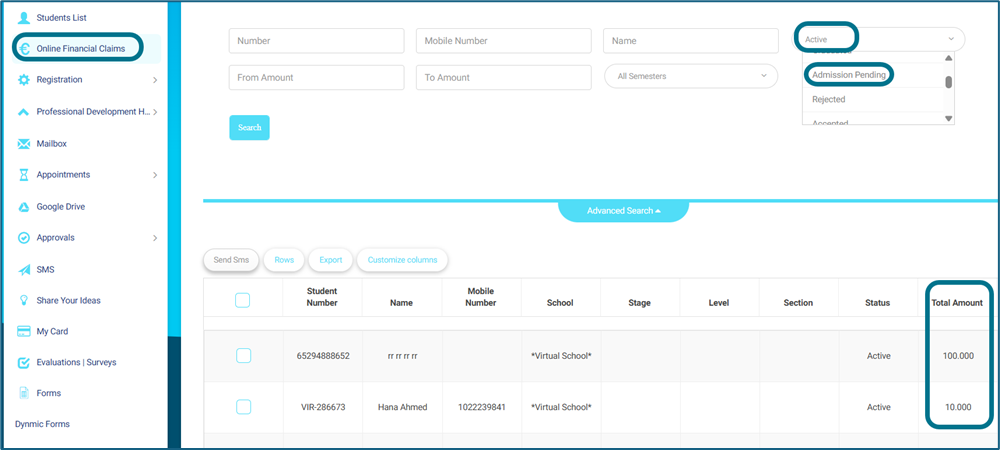
• From sidebar selects the “Online Financial Claims”.
• The system displays the report page with default filters (e.g., current semester, & status (Active, Admission Pending, etc.)) which will apply all student’s claims.
• Also, you will find under Registration tab “Registration Status Change Logs” which reflect changes on student’s status from Registration officer Such as from Admission Pending to Rejected and so on….
How to Use:
• Accountants can filter the report by date range (registration or claim dates), school(s), semester, student level, registration status, payment status, invoice type, section title, level title, stage title, and student name or ID.
• Users can export the report in Excel and PDF formats.
• The report must support pagination and sorting on all columns.


 French
  English
  Arabic


