
 French
  English
  Arabic
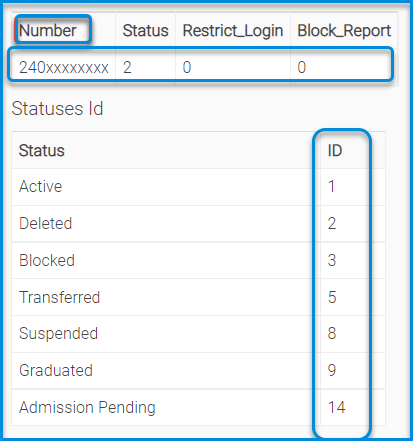
 Il permet à l’administrateur système de changer le statut de nombreux élèves en vrac. Téléchargez l’exemple de fichier, remplissez-le avec le code d’état (Actif/Effacer/Transféré/Suspendu/…), puis téléchargez-le de nouveau.
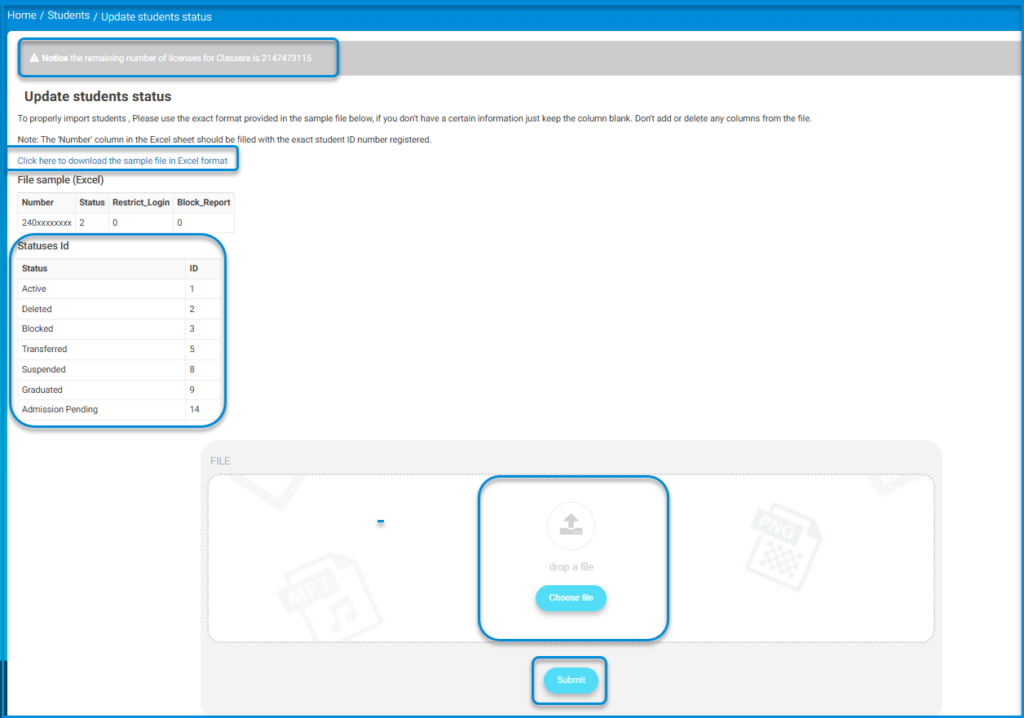
- Remplissez la colonne Restreindre la Connexion avec le numéro d’état correspondant pour empêcher les élèves sélectionnés de se connecter.
- Remplissez la colonne Rapport bloqué avec 3 pour empêcher les élèves bloqués de consulter toutes les fiches de rendement du système.
Bulk Update of Student Status #
The System Administrator (Admin) can update the status of a group of students in bulk through:
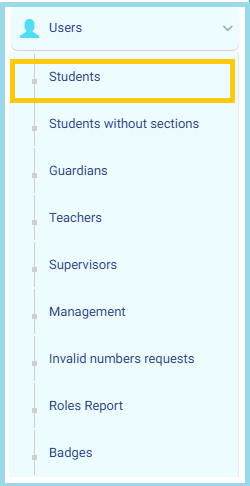
- From the Main Menu, open the Users drop-down list.
- Click on Students to access the full list of student accounts.
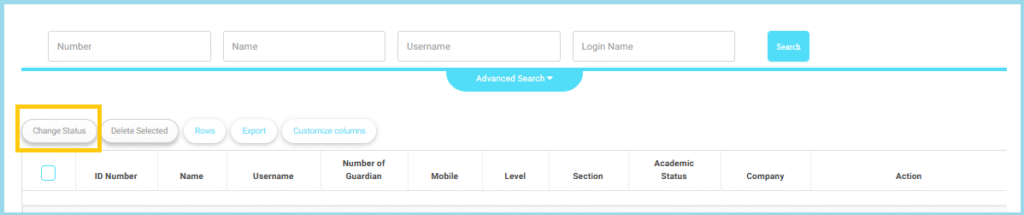
This feature allows the Admin to modify the status of multiple students simultaneously, reducing manual effort and ensuring efficient data management.
Business Validation Rules:
The system applies the following rules before completing the process:
- The selected students must belong to the same academic year.
- The selected students must belong to the same school (in multi-school environments).
- The new status selected must be different from the current student status.
- Students must have valid administrative IDs (Admin ID).
- Students must have valid educational IDs (Student ID).
- The statuses allowed for update are:
- Active
- Deleted
- Blocked
- Transferred
- Suspended
- Graduated
- Admission Pending
Note
- If the selected students exceed 500 students, the system will display a warning message and will not complete the operation.
- If one of the selected students does not meet the criteria (different school, invalid ID, etc.), the system will notify the user and exclude that student from the bulk update.


