French
  English
  Arabic
 1-Select Multiple Course Templates-Exam Supervisor
Aim
As an Exam Supervisor
I want the centralized exam to be linked to multiple Course Templates based on the selected Course Category
So that I can filter questions and statistics inside the same exam by Course Category, Area, and Criteria.
Access Path:
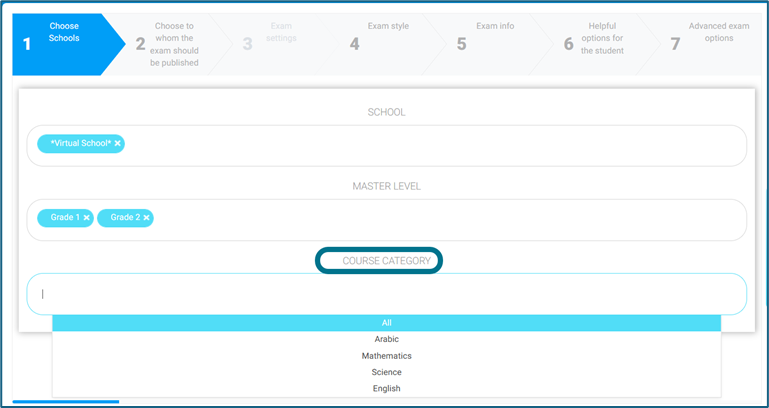
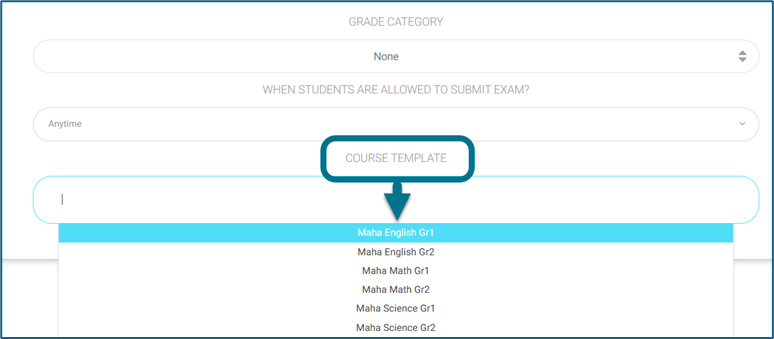
Exam Supervisor Account—Central Exams– Create New Exam, then follow the sequence and choose the desired “Course Categories” and “Course Templates“.
When setting up a centralized exam, I can:
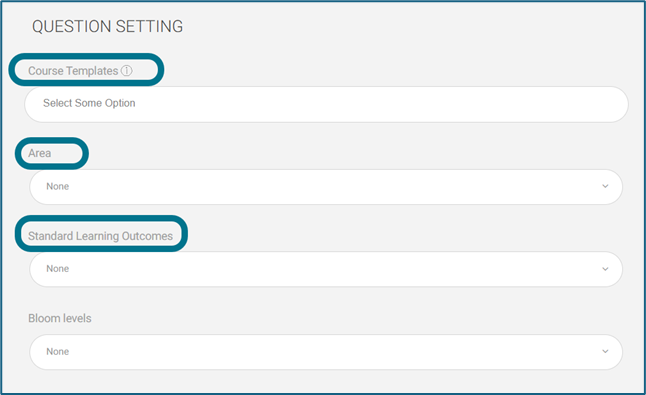
- Link each question with Course Templates, Area, Criteria and Bloom Taxonomy Levels.
- Statistics from exam actions will follow the same filtering hierarchy:
Course Category → Area → Criteria.
How to Use:
Only questions matching the selected Course Category + Area + Criteria will be displayed in the exam question bank and its statistics.
Ensure that each subject must be mapped to its correct Course Categories, Tree, Template, Area and Criteria before applying Central Exams module.