English
  Arabic
  French
 The Goals Module simplifies the creation and management of educational quests (gamified goals). By selecting target grade levels and courses, Xsera AI automatically generates rich, structured gamified learning quests tailored to specific course lessons.
Accessing Goals Module & Course List View #
You can access your study goals and learning plans through two convenient pathways:
Pathway 1: Via Study Goals (Dashboard Shortcut Card) #
- Navigate to your main homepage or course dashboard.
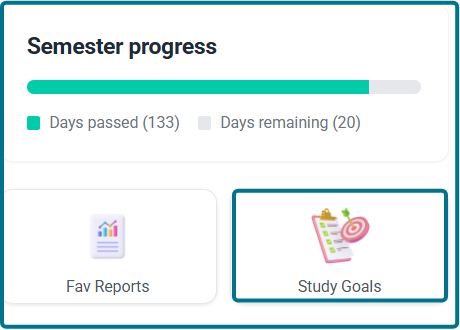
- Locate the Semester progress card.
- Click the Study Goals card button to open your personalized study goals workspace.
Pathway 2: Via Goals Module (Xsera Quests – Left Sidebar) #
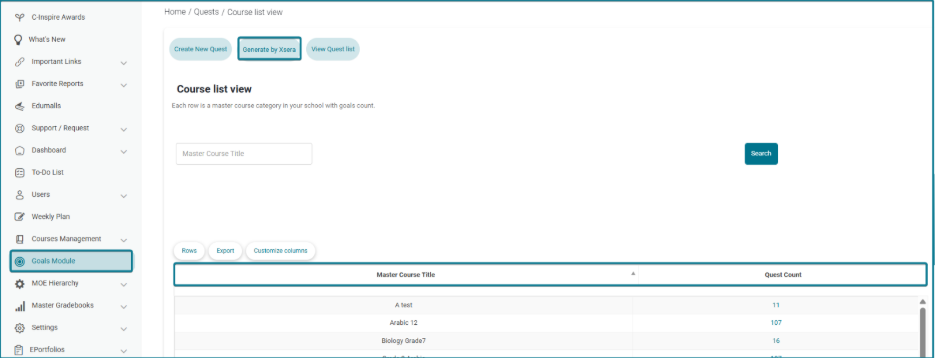
- Click on Goals Module from the left navigation sidebar.
- The Course list view page opens.
- The main table lists master course titles alongside their corresponding total Quest Count:
- Master Course Title: Displays the subject/course category name.
- Quest Count: Displays a clickable blue number indicating the total active quests generated for that course.
Generating Quests with AI #
To generate new goals automatically:
- Click Generate by Xsera at the top of the page.
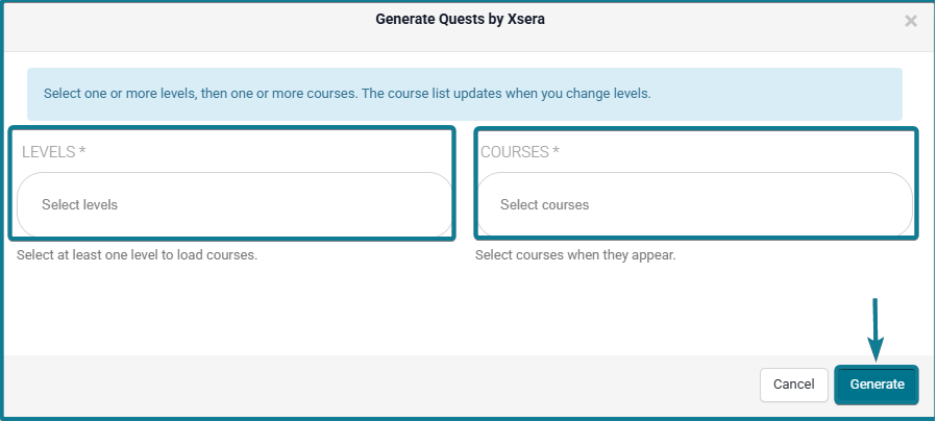
- A pop-up modal titled Generate Quests by Xsera opens.
- Under LEVELS, select one or more target grade levels from the dropdown menu (this dynamically loads available courses).
- Under COURSES, select one or more courses from the updated dropdown list.
- Click Generate. Xsera AI will construct gamified learning quests across the selected curriculum.
Viewing & Managing Course Quests #
- In the Course list view table, click directly on the blue number under the Quest Count column for any course row.
- The system opens the dedicated Quests List page.
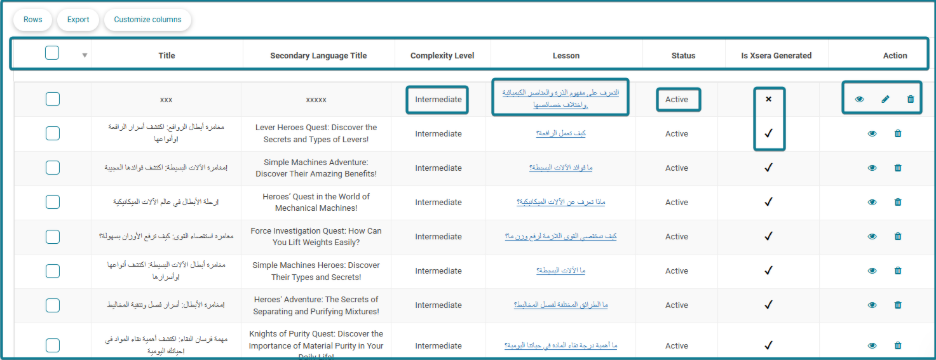
- The page presents a detailed table with the following columns:
- Title & Secondary Language Title: Displays the primary and translated quest adventure titles.
- Complexity Level: Indicates difficulty (e.g., Intermediate).
- Lesson: Displays a clickable link containing the lesson name. Clicking directly on the lesson title opens the full Quest Description modal with all AI-authored details.
- Status: Shows active or inactive quest states.
- Is Xsera Generated: Displays a checkmark ($\checkmark$) confirming AI generation.
- Action: Contains the Eye Icon (View Details), Pencil Icon (Edit Quest), and Trash Icon (Delete Quest).