English
  Arabic
  French
 -Substitute teacher notification
Aim:
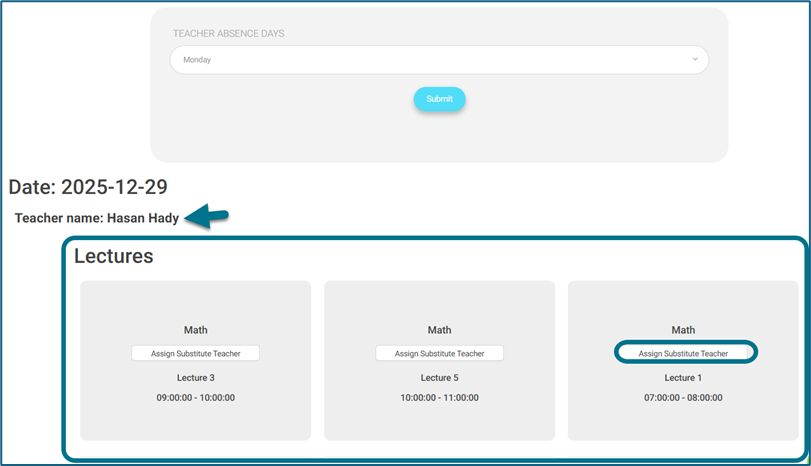
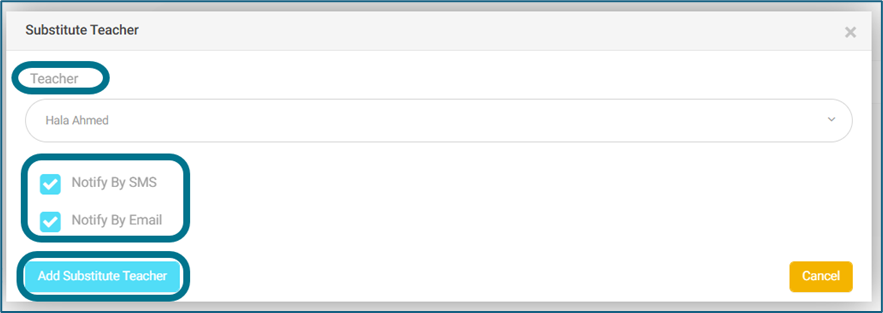
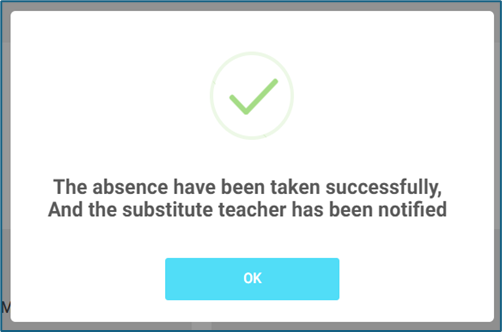
As an admin Or Manager, I want to set up a substitute teacher in case of other teacher absence and notify them by SMS & Email as well.
Access Path:
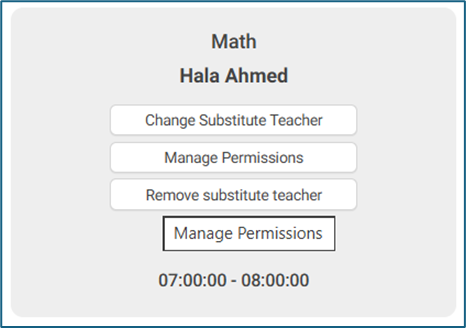
- admin’s account — side menu — courses management — full schedule — assign substitute teacher, so that the admin can define whether he/she wants to send an SMS or email.
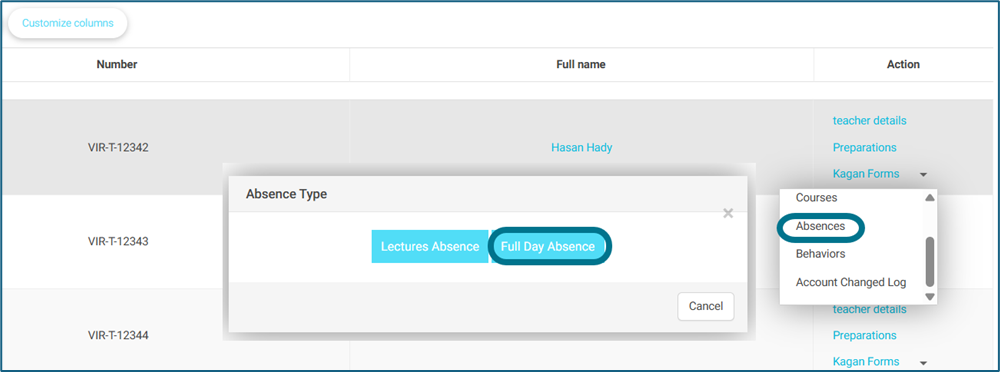
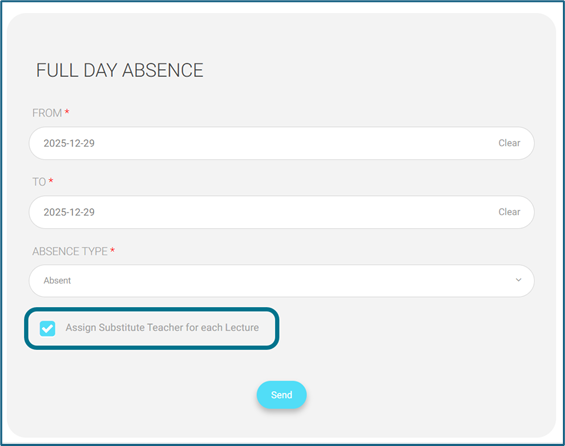
- Manager/school leader — side menu — teachers — more actions for any teacher — absences — Full Day absences– & “Assign substitute teacher for each lecture”.
How to Use:
- Manager/school leader — side menu — teachers — more actions for any teacher — absences — Full Day absences– & “Assign substitute teacher for each lecture”.
- The manager/school leader can decide whether he/she wants to notify the substitute teacher by email or SMS.
- So, on the sent SMSs, the following information should be added:
- Level’s title
- Section’s title
- Timeslot’s title
- So, the SMS’s text will be changed as follows:
” You’ve been assigned as a substitute teacher for [[original teacher’s name]] for the [[course’s title]] – [[Level’s title]] [[section’s title]] on [[timeslot’s title]] – [[Working Day’s title]] – [[Working day’s date]].”
So, the email’s text will be changed as follows:
”Dear [[substitute teacher’s full name]],
“We want to tell you that you’ve been assigned as a substitute teacher for [[original teacher’s name]] for the [[course’s title]] – [[Level’s title]] [[section’s title]] on [[timeslot’s title]] – [[Working Day’s title]] – [[Working day’s date]],
Thank you,”