
 English
  Arabic
  French
 The Home Page is the page you typically encounter first on the LMS platform that usually contains links to the other pages of the site.
Home Page Contents: #
- A top bar that includes your personal profile, notifications, emails, local time, and date. It also has a school icon by which the user can move between the schools that he has authority over.
Note: You will not find schools to transfer to unless the system administrator has added permission for you to other schools.
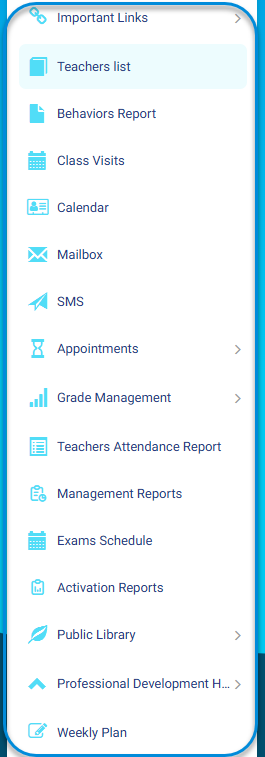
- A side menu that gives you direct access to any of the general tools.
- Buttons to:
- Display the general statistics of the teachers, the statistics of the rate of interaction with the students, and the tools used.
- Display the teacher’s workload and the weekly class schedule for each teacher.
- View the exams and assignments created by teachers without questions.
- Display the attendance (launching) percentage for teachers’ virtual classrooms.
- The search fields that are used to search for a specific teacher by name or school name.
- List of teachers who are under the management of the supervisor.
- Several actions a supervisor can take to manage teachers:
- View teacher details and statistics.
- View a summary of students’ grade reports.
- Display the contents of the teacher’s materials and monitor attendance and leave.
- When you click the arrow to display the actions of the drop-down list, the supervisor can take several actions:
- View individual grades for student subjects.
- View teacher-created discussion rooms.
- Displaying the virtual classes with the possibility of attending the virtual class and displaying the list of attendees.
- View assessment tools intended for the teacher to evaluate his students.
- View the subject’s preparations.
- View subjects exams.
- Monitor the teacher’s absences for classes or the whole day.
- View teachers’ messages with students.
- The ability to specify the number of table rows that appear on the same page.
- The ability to export the teachers’ schedule to an Excel file, print and copy the schedule, or export it to a PDF file.
- The ability to customize the columns that appear in the table, where any column can be displayed or hidden.


