English
  Arabic
  French
 The system guides the guardians through the process of adding and linking personal drivers to their children, aiming to facilitate their schedules when assigning a driver to pick up their children.
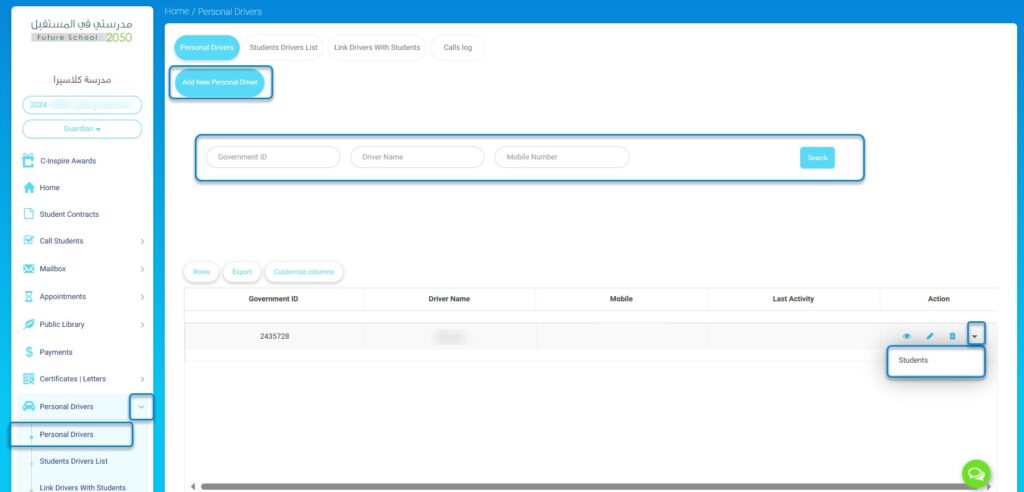
To add a personal driver to your children’s account:
- Select “Personal Driver” from the system’s main menu.
- Click on “Add New Personal Driver.”
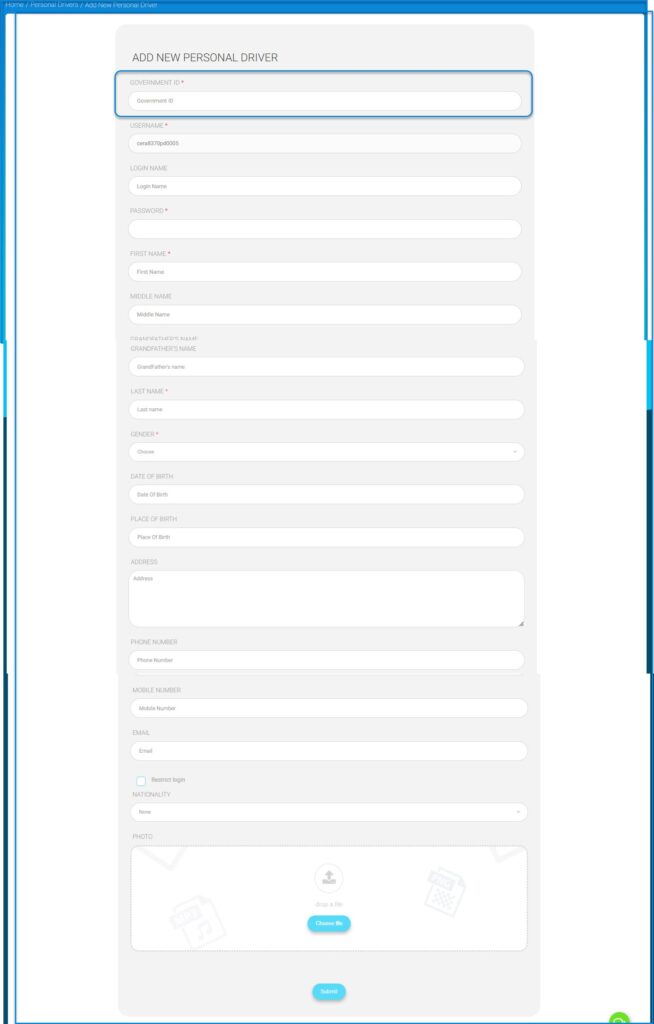
- The system will then prompt you to enter the driver’s details:
- ID number
- Name
- Family name
- Nationality
- Add a photo
- Press “Submit.”
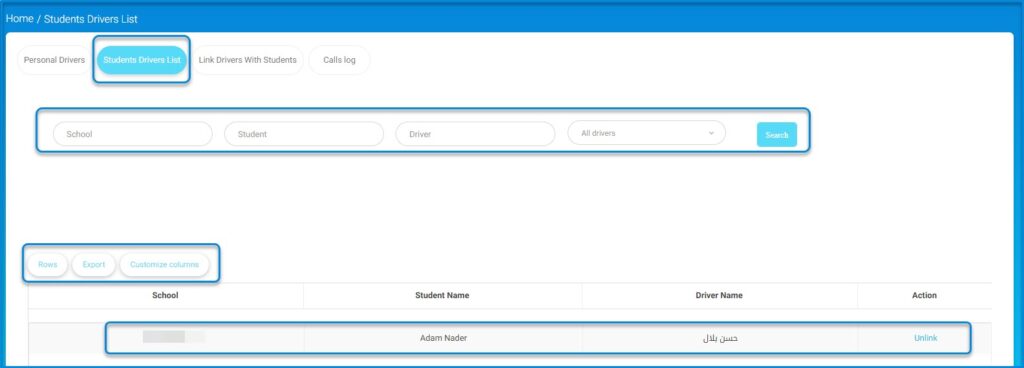
To review the list of students associated with drivers:
- Select “Personal Driver” from the system’s main menu.
- Then choose the option to view the list of students linked to drivers.
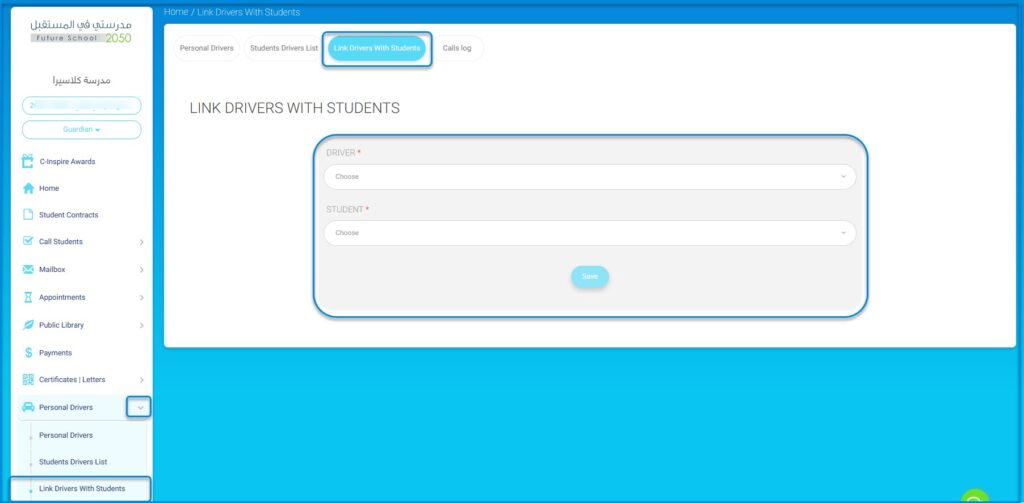
To link drivers to students:
- Select the driver.
Then choose the names of the students one by one, and click “Save.”