
 English
  Arabic
  French
 The Questions Banks module serves as a centralized repository for managing, reviewing, and analyzing automatically generated or school-created assessment questions mapped directly to learning outcomes.
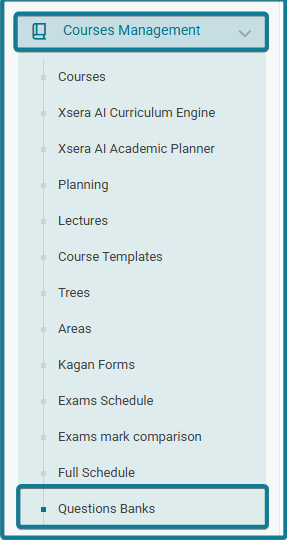
Accessing Questions Banks #
To open the Questions Banks repository, follow these steps:
- Expand Courses Management from the left navigation sidebar.
- Select Questions Banks.
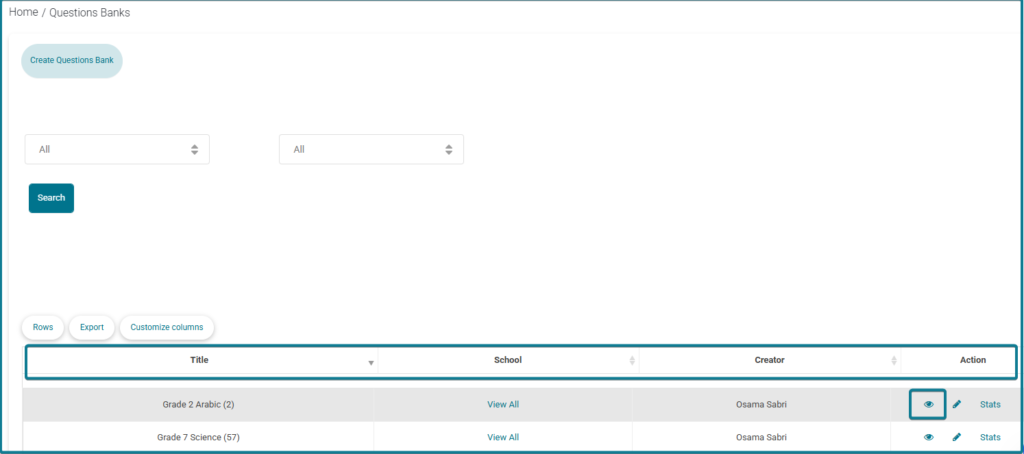
- The main repository page opens, displaying search filters and the primary questions bank repository table.
- Locate your target question bank row in the repository table.
- Under the Action column, click the Eye Icon (View).
- The dedicated details page opens, divided into two main sections: General Information Header and Questions List Table.
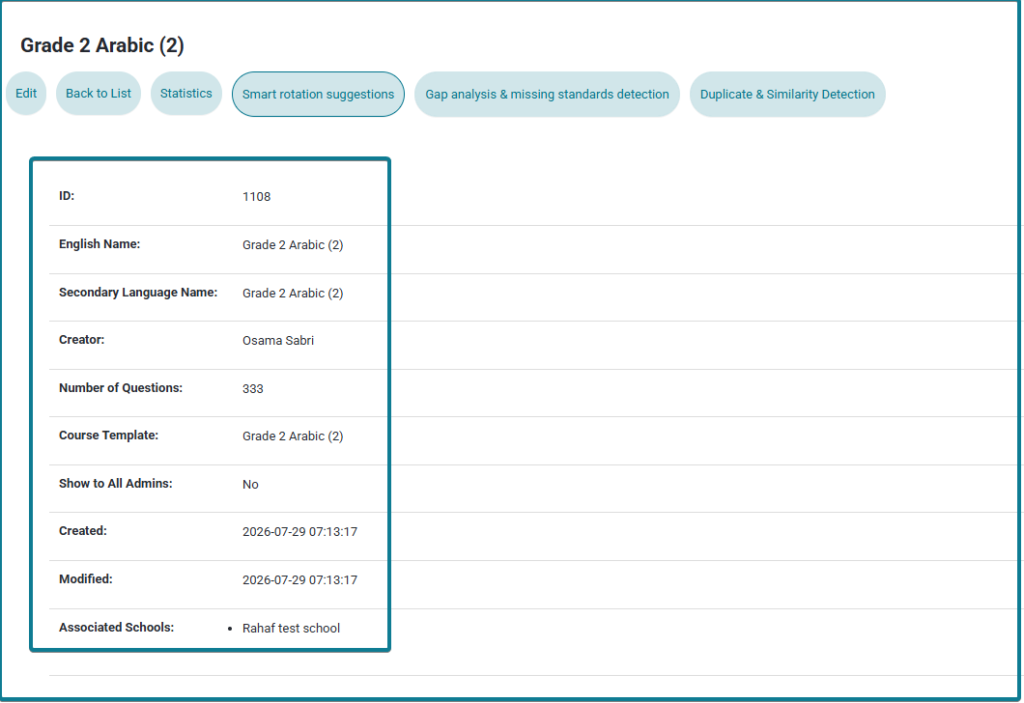
1. General Information Header #
Displays master metadata including:
- ID & Course Template Name: Identifies the unique bank ID and linked template.
- Creator & Date Stamps: Displays the author name along with creation and modification timestamps.
- Total Questions: Displays the total count of generated items.
- Action Header Controls: Quick buttons for Edit, Back to List, Statistics, Smart rotation suggestions, Gap analysis & missing standards detection, and Duplicate & Similarity Detection.
2. Questions List Table & Source Tracking #
Scroll down to the Questions List section to view and filter all individual questions:
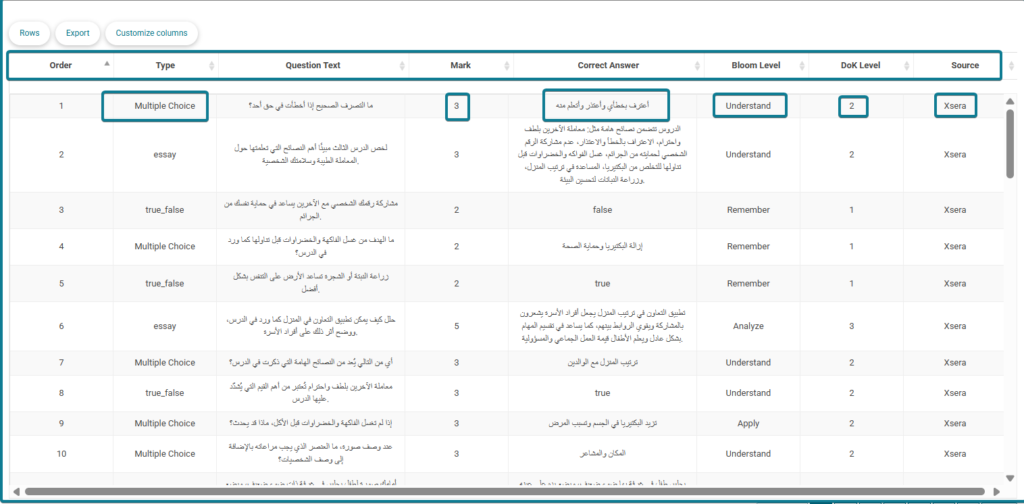
- Order: Displays the sequential item number of the question in the bank list.
- Type: Identifies the question format (e.g., Multiple Choice, True/False, Essay).
- Question Text: Displays the full question prompt or body text.
- Mark: Shows the numeric point value or grade weight assigned to the question.
- Correct Answer: Displays the correct answer key or solution text for auto-grading and reference.
- Bloom Level: Indicates the cognitive taxonomy level (e.g., Remember, Understand, Apply, Analyze).
- DoK Level: Shows the Depth of Knowledge difficulty rating assigned to the question.
- Source: Identifies whether the question was generated by Xsera AI or created directly by the School.
Note on AI Question Generation: For every mapped learning outcome, Xsera AI automatically generates 5 distinct questions spanning 5 varying difficulty levels (from foundational recall to advanced analysis).


