
 English
  Arabic
  French
 - From the side menu, go to Users.
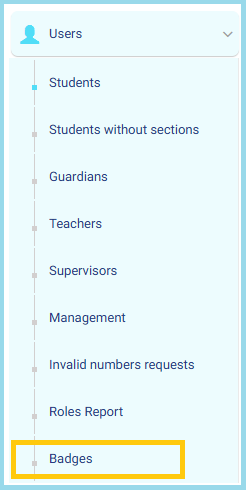
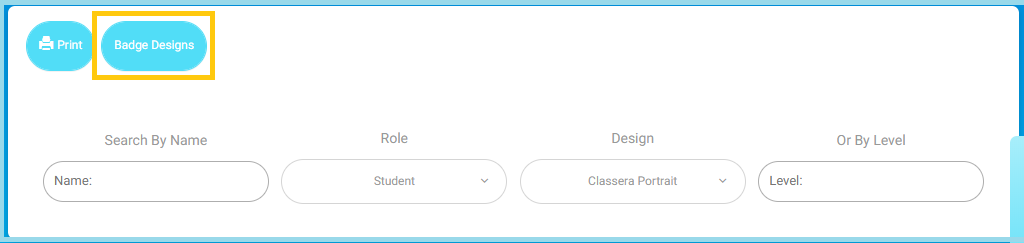
- Click Badges, then select Badge Designs at the top of the page.
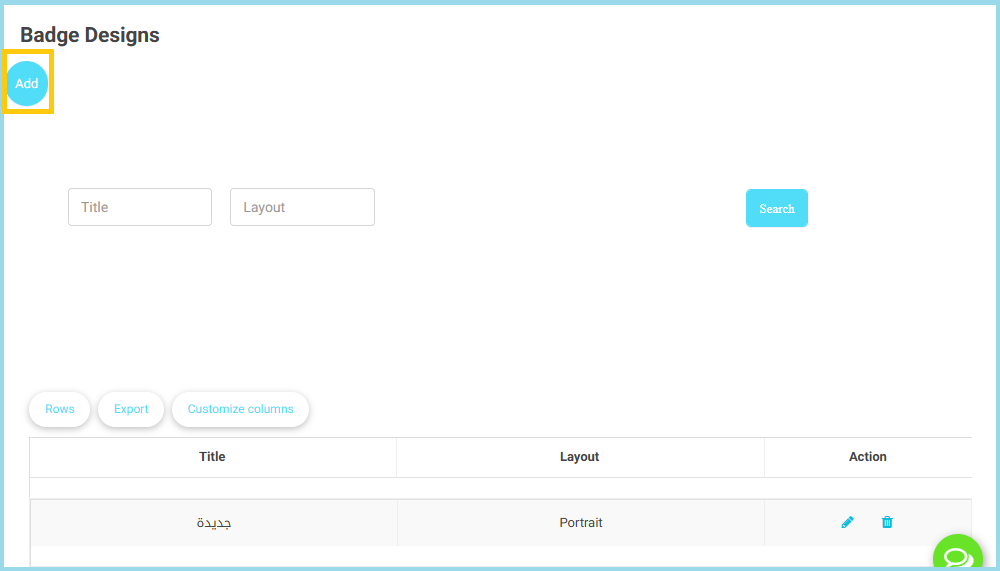
- Click the Add button (blue circular button on the left).
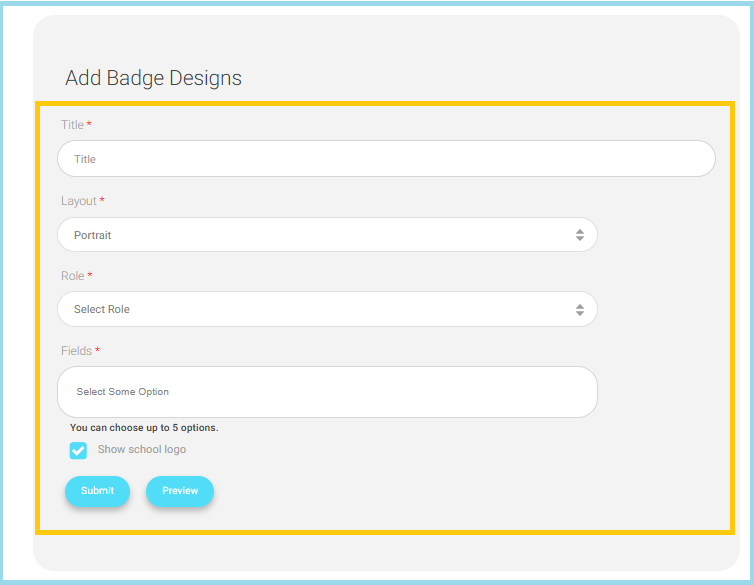
- A form will appear to enter the badge details.
- Fill in the required fields such as:
- Title: (badge name)
- Layout:(e.g., Portrait, Landscape)
- Role: Choose the role this badge applies to (e.g., Student, Teacher, Supervisor).
- Fields: Select the information fields to display on the badge.
- Upload any design elements if required (logo, background, etc.).
- Click Preview to view how the badge will look before saving.
- Click Submit to create the new badge design.


