
 English
  Arabic
  French
 The system enables the teacher to view analytical charts of students’ positive and negative behaviors throughout the academic term.
Accessing the Behavior Page
- From the main menu, open Home.
- In the Home list, click Show All Courses.
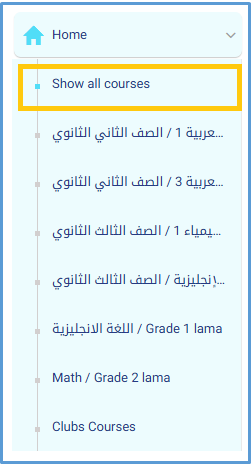
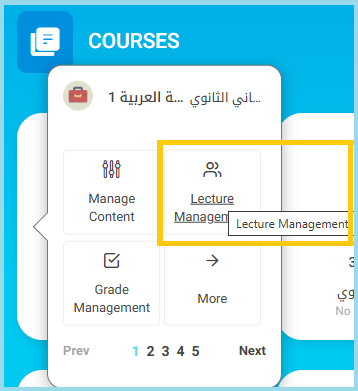
- Select the required course.
- From the course options, click Lecture Management.
- On the Lecture Management page, open the More Actions menu.
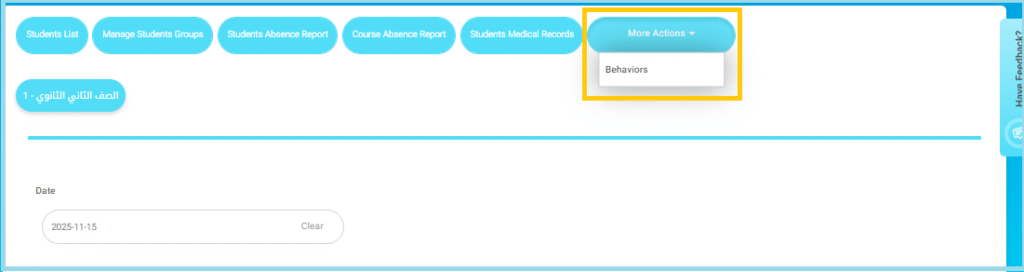
- Click Behaviors.
- The Behaviors page will appear.
Using Behavior Filters:
- On the Behavior page, use the Advanced Filters (year, semester, level, section, date range, behavior type, etc.)
- Click Search to display the behavior notes you want to review.
- Use the filter to display a detailed breakdown of students’ behaviors during the term.
- Review the visual chart and table summarizing behavioral performance.
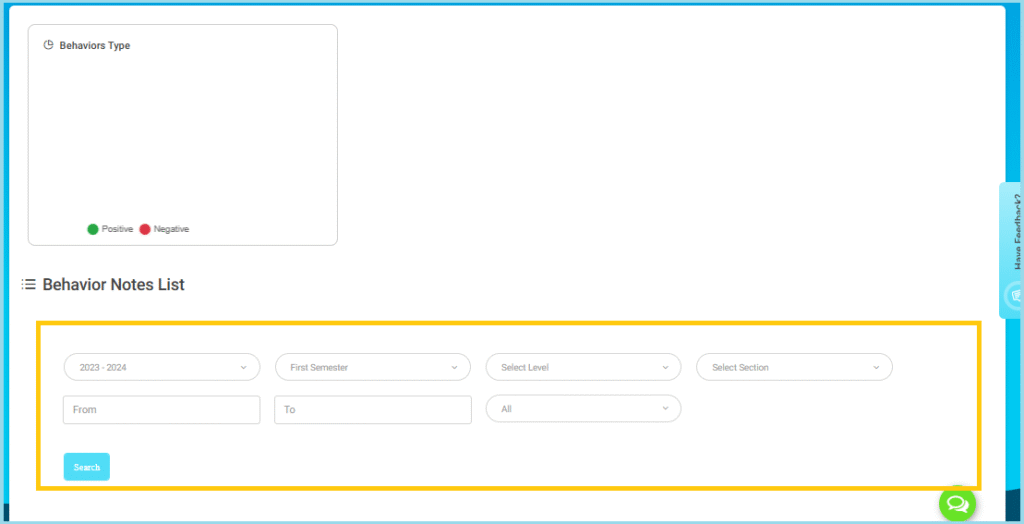
- Note: The filter tool helps display detailed analytics of student behavior over the selected academic term.


