
 English
  Arabic
  French
Table of Contents
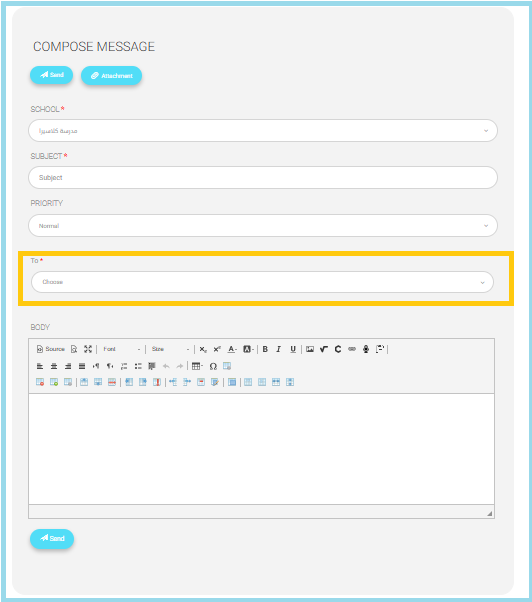
Allows bus supervisors to send messages directly to students through the mailbox system.
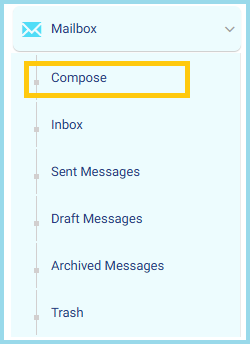
- From the Main Menu, click Mailbox
- Select Compose
Note #
- Selecting a bus automatically triggers the selection of all related trips and associated students.
- Selecting a trip automatically triggers the selection of all students linked to that trip.
- The Bus Supervisor has full control over the selection logic and may:
- Manually deselect any automatically selected trip or student.
- Select multiple buses simultaneously to perform bulk actions.
- All selections remain editable prior to submission, ensuring precise targeting and controlled communication delivery.
- To view your inbox, click on the Inbox button.
- To view sent messages, click on the Sent Messages button
- To view emails in the draft folder, click on the Draft Messages button.
- To view messages in the archive, click on the Archived Messages button.
- To view the trash, click on the Trash button.


