English
  Arabic
  French
Table of Contents
Central Exams Comprehensive Report #
The Central Exams Comprehensive Report allows supervisors to view a complete overview of all central exams across all grade levels and subjects on a single page, enabling easy monitoring and analysis.
- Open the Side Menu
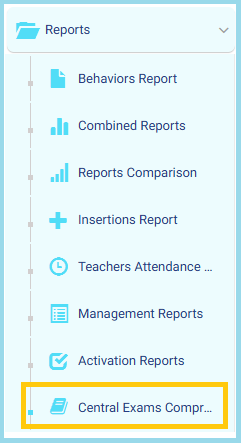
- Select Reports
- Click Central Exams Comprehensive Report
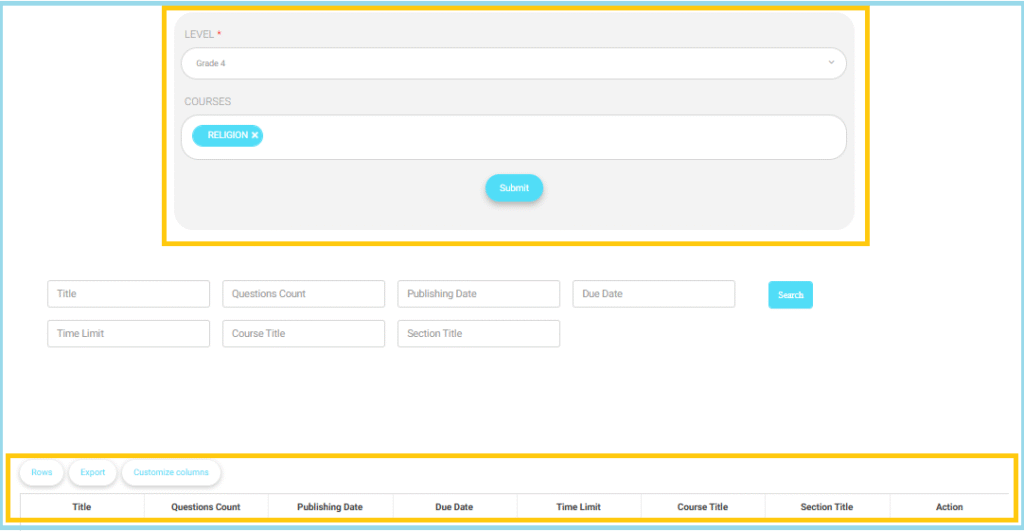
- From the Level dropdown, choose the required grade level.
- From the Courses field, select one or more courses.
- Click Submit to load the exams.
- (Optional) Use the search fields to refine results by:
- Title
- Questions Count
- Publishing Date
- Due Date
- Time Limit
- Course Title
- Section Title
- Click Search to apply the filters.
- Review the exams displayed in the results table.
- Use the table options to:
- Adjust Rows count
- Export the report
- Customize Columns