
 English
  Arabic
  French
 The Action Queue houses operations that require the System Administrator to execute the action directly. This panel surfaces functional bottlenecks that cannot be resolved automatically.
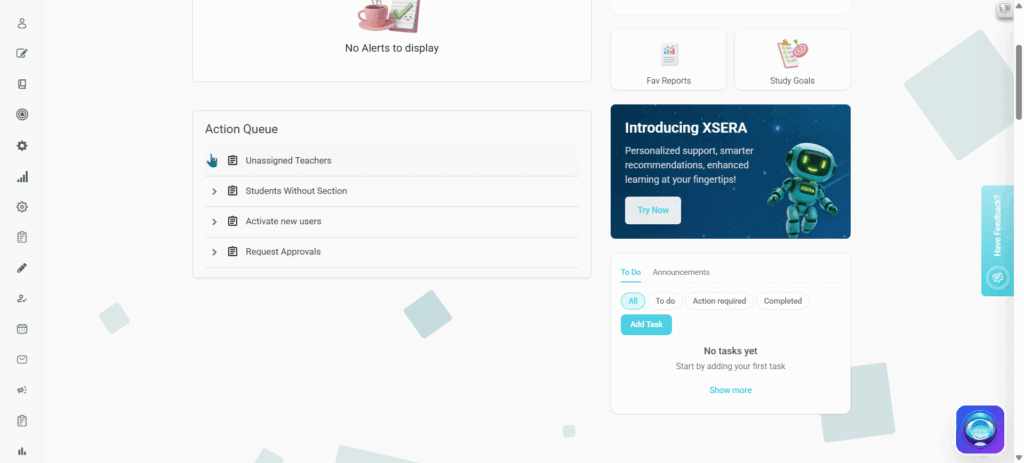
Accessing the Action Queue
To view the Action Queue panel, follow these steps:
- Log into your account.
- Select the Overview tab from the top panel layout.
- Locate the Action Queue panel positioned in the central area of the homepage dashboard.
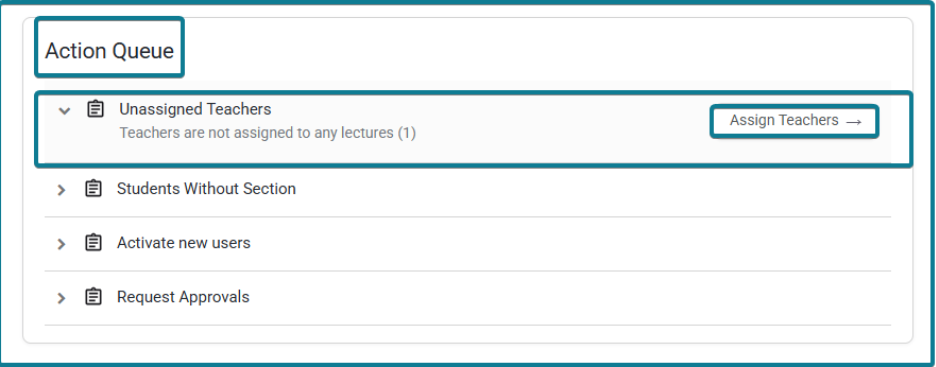
Actionable Operational Queue Items:
- Unassigned Teachers: Profiles requiring immediate system links to courses or classes.
- Students Without Section: System placement exceptions requiring manual classroom assignment.
- Activate new users: Provisioning queues waiting for manual profile verification and validation.
- Request Approvals: High-level administrative overrides or policy exemptions awaiting authorization.


